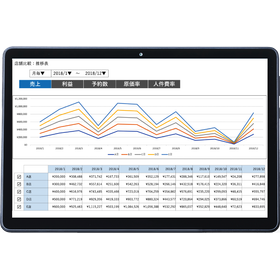
We have compiled a list of manufacturers, distributors, product information, reference prices, and rankings for POS registers for restaurants.
ipros is IPROS GMS IPROS One of the largest technical database sites in Japan that collects information on.

POS registers for restaurants - List of Manufacturers, Suppliers, Companies and Products

POS registers for restaurants Product List

1~3 item / All 3 items

Displayed results

Presentation of point materials: 'Logic Tree for Increasing Restaurant Profits'

For those who are new to running a restaurant, you can understand it in just '3 minutes'! We are currently offering a detailed document that explains a method to definitely increase profits in 3 steps.

In restaurant management, what is important is "to make a profit." No matter how delicious the food is or how beautiful the store's appearance is, it is essential to generate profits in order to pay the important employees and continue providing quality food and service. We have prepared a detailed document for first-time restaurant managers that explains "ways to increase profits" in three steps. Please download the document and read it. [Contents] ■ Just having delicious food is not enough to keep a restaurant running ■ Step 1: Understand what a logic tree is ■ Step 2: Organize tasks to increase profits ■ Step 3: Address high-priority tasks first ■ A POS system designed specifically for restaurants, conceived by a former restaurant owner *For more details, please refer to the PDF document or feel free to contact us.

Added to bookmarks

Bookmarks list

Bookmark has been removed

Bookmarks list

You can't add any more bookmarks

By registering as a member, you can increase the number of bookmarks you can save and organize them with labels.

Free membership registration

Is it okay to show that number on the management screen to all staff?

With the restaurant POS system "One Regi," you can customize the display items on the management screen according to permissions!

Are you worried about wanting to show certain numbers on the management screen while not wanting to show others? Is it possible to make such detailed settings? With OneRegi, you can specify which screens can be viewed and which cannot by assigning individual IDs and passwords! For example… President: Can view all information Accounting: Can view numbers but not contract information Store Manager: Can only view information for their own store You can also set it so that users can only view information without editing it. By separating the information to be shown and not shown, it is possible to allocate the numbers that each authority should grasp. OneRegi allows you to set viewing and editing permissions with just one management screen. Would this solve your concerns? *For more details, please refer to the PDF document or feel free to contact us.

Added to bookmarks

Bookmarks list

Bookmark has been removed

Bookmarks list

You can't add any more bookmarks

By registering as a member, you can increase the number of bookmarks you can save and organize them with labels.

Free membership registration

We support the issuance of table bills!

Check for any missed orders with the table bill using the restaurant POS register 'One Register'!

Are you looking for a register that can output receipts available in the store, not just from the kitchen printer? One Register can issue table bills! It can print receipts listing orders like those seen in family restaurants. All provided orders can be given to customers as a history of their orders. Additionally, kitchen slips from the kitchen printer can be configured to: - Output drinks together and food separately. - Set individual output destinations for each product. - Configure whether to output or not for each product from the printer. One Register can output receipts tailored to your store's operational needs. Whether you specialize in takeout, dine-in, or a combination of both, you can set up suitable receipt outputs. Why not set up receipt outputs tailored to your store with One Register and achieve more efficient operations? *For more details, please refer to the PDF materials or feel free to contact us.

Added to bookmarks

Bookmarks list

Bookmark has been removed

Bookmarks list

You can't add any more bookmarks

By registering as a member, you can increase the number of bookmarks you can save and organize them with labels.

Free membership registration